
MCP servers: how to connect an AI assistant to your data – and why SensFleet offers one too
2026-07-23
AI assistants such as Claude or ChatGPT are great at answering general questions. But when it comes to what matters most to your business –
“Where is our van right now?”, “How many kilometres did this car cover last month?”
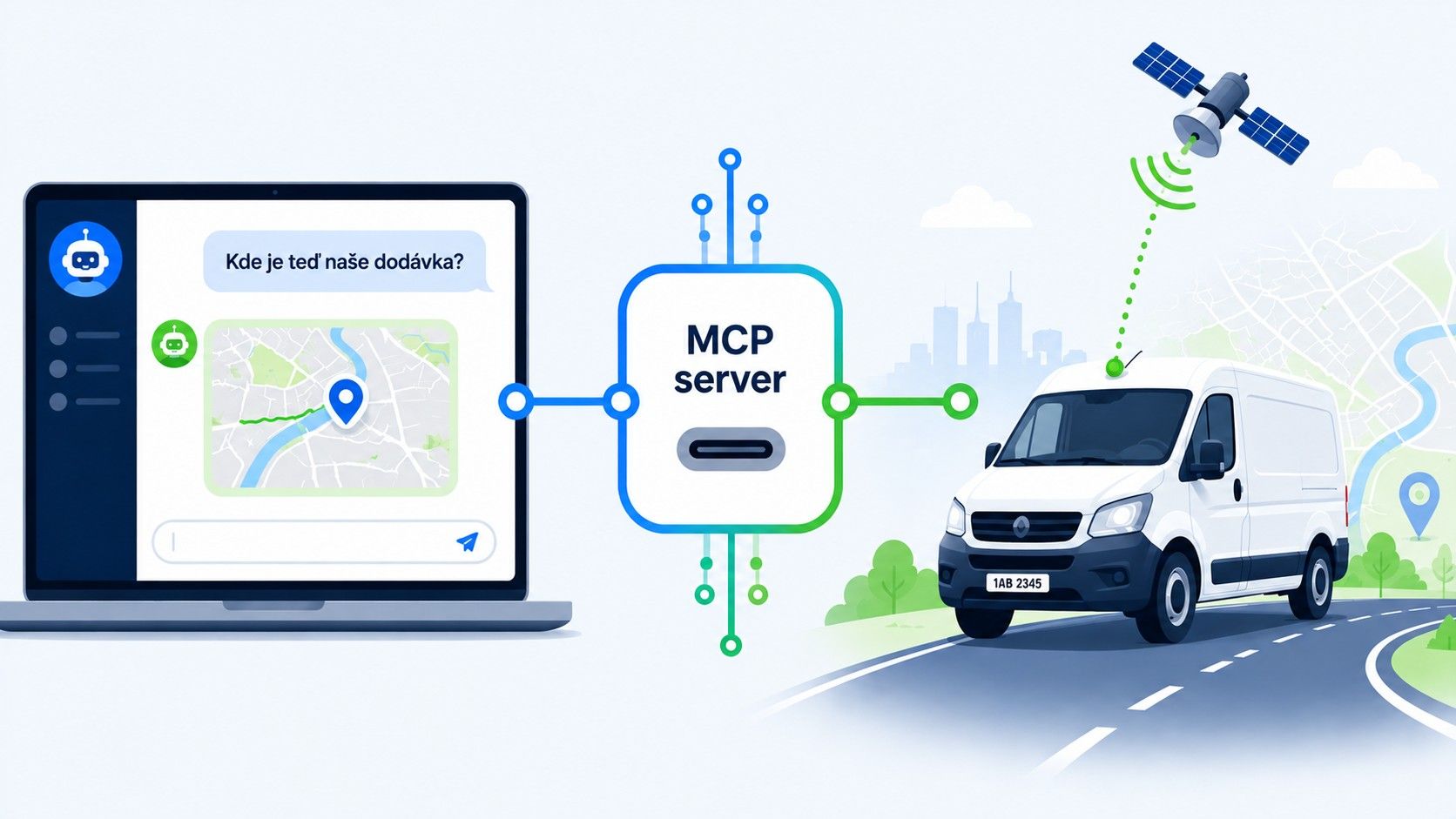
– they have no answer. They simply can't see into your systems. That is exactly the problem solved by a technology known as the MCP server. In the first part of this article we explain in plain terms what it is all about, and in the second we introduce something new: SensFleet's own MCP server, which you can start using.
Part 1: What an MCP server is and how it works
MCP stands for Model Context Protocol – an open standard introduced in 2024 by Anthropic (the maker of the Claude AI assistant) and now also supported by other major players, including OpenAI (ChatGPT) and Microsoft. Put simply, it is a common language that lets an AI assistant talk to other systems – your CRM, email, calendar… or your vehicle tracking.
A widely used comparison sums it up best: MCP is like USB-C for artificial intelligence. Every phone used to have a different charger; today you plug one cable into anything. In the same way, every connection between AI and another system used to require a special, custom-built integration to be programmed. With MCP there is one common “socket” – and anything that supports it can talk to anything else that does.
How it works in practice:
- The operator of a system (us, for example) sets up an MCP server – a secure gateway through which data can be read and actions carried out in its system.
- You connect this server to your AI assistant – it takes a simple set-up, with no programming involved.
- From then on you can ask the AI questions in plain language and it finds the answer in real data by itself: “Which vehicles are in Prague right now?” – the assistant asks the MCP server, receives the current locations and gives you the answer.
The important thing is that the AI does not get access to everything. The MCP server works with the same permissions you have – you sign in with your own account and the assistant sees only what you would see yourself. What's more, you decide which actions it is allowed to carry out.
What MCP servers are commonly used for:
- querying company data – “how many orders came in this week?” without opening the system and clicking through reports;
- automating routine work – on request, the AI creates a task, prepares supporting documents or fills in a spreadsheet using data it downloads itself;
- connecting several systems at once – the assistant can combine data from your calendar, email and telematics in a single answer;
- reports on demand – instead of fixed templates, you simply ask for an overview tailored exactly to what you need at that moment.
In short: an MCP server is a bridge between artificial intelligence and your real data. AI stops being just a clever adviser speaking “in general terms” and becomes a colleague who analyses the data it is given and can recommend what to do next.
Part 2: The SensFleet MCP server – connect AI to your fleet
And now for the important part: you can already do this with us. We have launched our own SensFleet MCP server, which lets you connect data from our GPS tracking system directly to your AI assistant – whether you use Claude, ChatGPT or another tool that supports MCP.
What your AI can do through it:
1. An overview of your vehicles and their current location. “Where is vehicle 3AB 1234 right now?” – the assistant answers within a few seconds, and it can list your entire fleet too. No switching to the application – just ask.
2. Route and movement history. Need to know which way a vehicle went last Tuesday? The AI pulls up the location history for the chosen period and summarises it for you straight away – it can even compare it with another vehicle or another period.
3. Electronic trip journal. Listing trips, viewing the details of a specific trip, editing, splitting or merging trips – the assistant handles all of this on request. Using data from the electronic trip journal, it can then prepare the figures exactly the way you need them: “Add up the private trips for June and give me a table broken down by driver.”
4. SMS communication with GPS trackers. Listing the messages for a given period or sending an SMS – this, too, takes just a single sentence.
5. Tailor-made reports and analyses – without waiting for a new feature. This is the greatest strength of the whole integration: you are not limited to the reports the application happens to have in its menu. The AI downloads the data and processes it in whatever way you ask – a comparison of vehicle utilisation, input for management reports, or a check that vehicles are not driving outside their usual areas.
And what about security? The server is secured with a modern sign-in method (OAuth) and one simple rule applies: the AI sees exactly what you see in the web application – nothing more. Your account's access rights remain in force and data transfer is encrypted. Your data is never exposed to outsiders.
What's more, new features are being added all the time – we are developing the MCP server together with the system as a whole, so the range of things your AI can do will grow over time.
Want to connect AI to your vehicles?
Just get in touch – we will give you access to the MCP server, help you connect it to your AI assistant, and within a few minutes you can start asking your fleet questions in plain language.
Join 30,000+ satisfied customers and save money with GPS vehicle tracking.
Or write to: sales@sensfleet.com
Have a question or want a free, no-obligation quote?


